Sliver · the AI video editor for creators
Powered by AIOne Video.
Instantly Viral.
Upload any video and AI automatically generates viral clips without the need for manual editing. Sliver finds the best moments, turns them into vertical shorts, writes captions, frames the shot, and gives you clips ready for TikTok, Reels, and YouTube Shorts.
Free plan · upload a video · get clips back · no card required
- 01Upload video
- 02AI finds clips
- 03Post anywhere
See it happen
From upload to clips, without opening an editor.
The product does the heavy lifting in the background. You bring one long video; Sliver finds the best parts, turns them into vertical clips, and gives you something you can post.
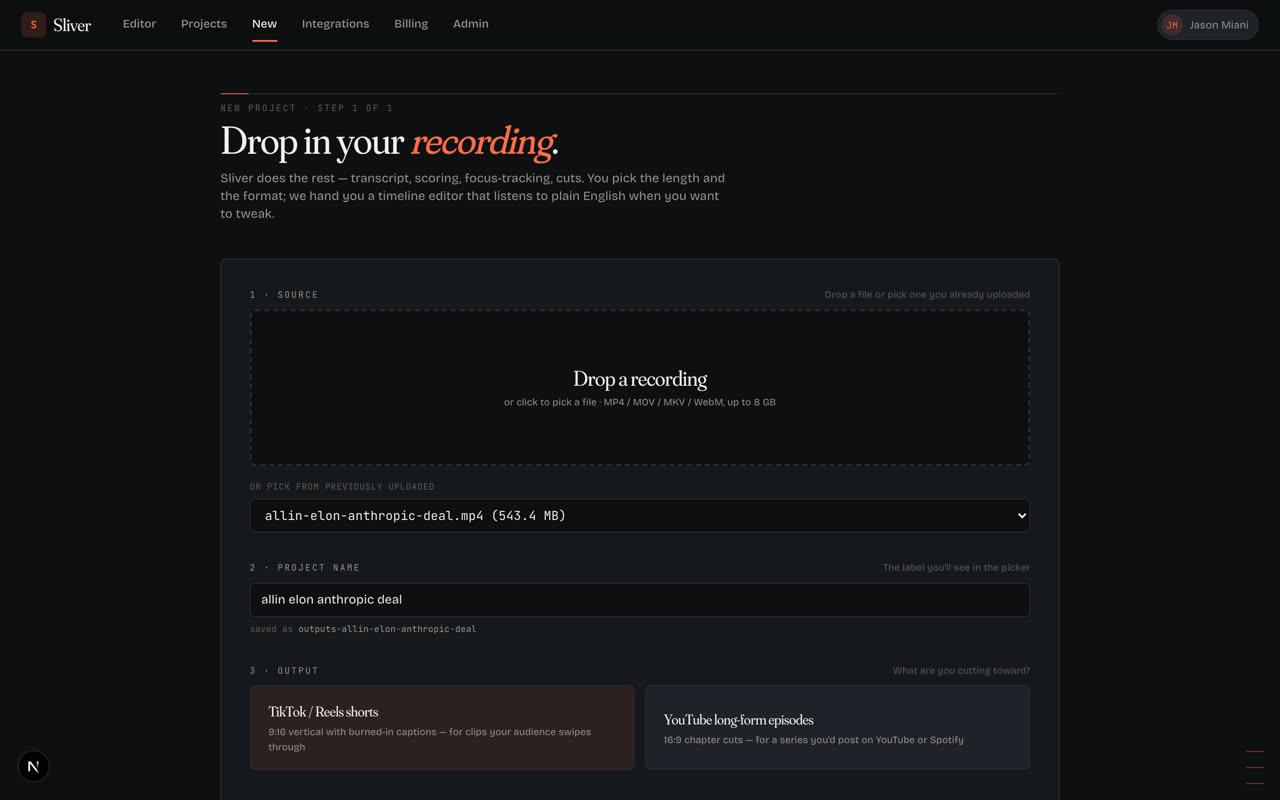
01
Upload the full video
Start with the recording you already have: podcast, stream, webinar, demo, interview, or phone video.
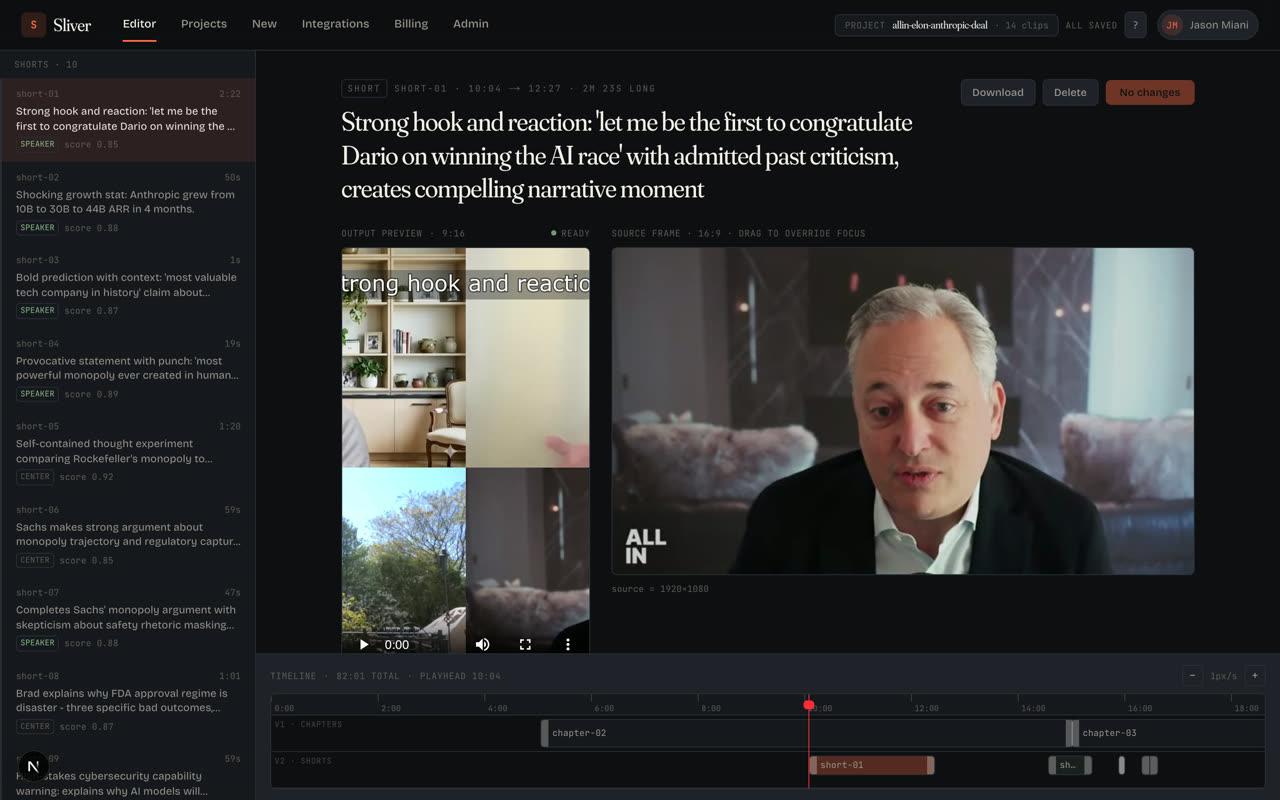
02
AI finds clips worth posting
Sliver scans the video, pulls out strong moments, writes captions, and frames each clip for vertical feeds.
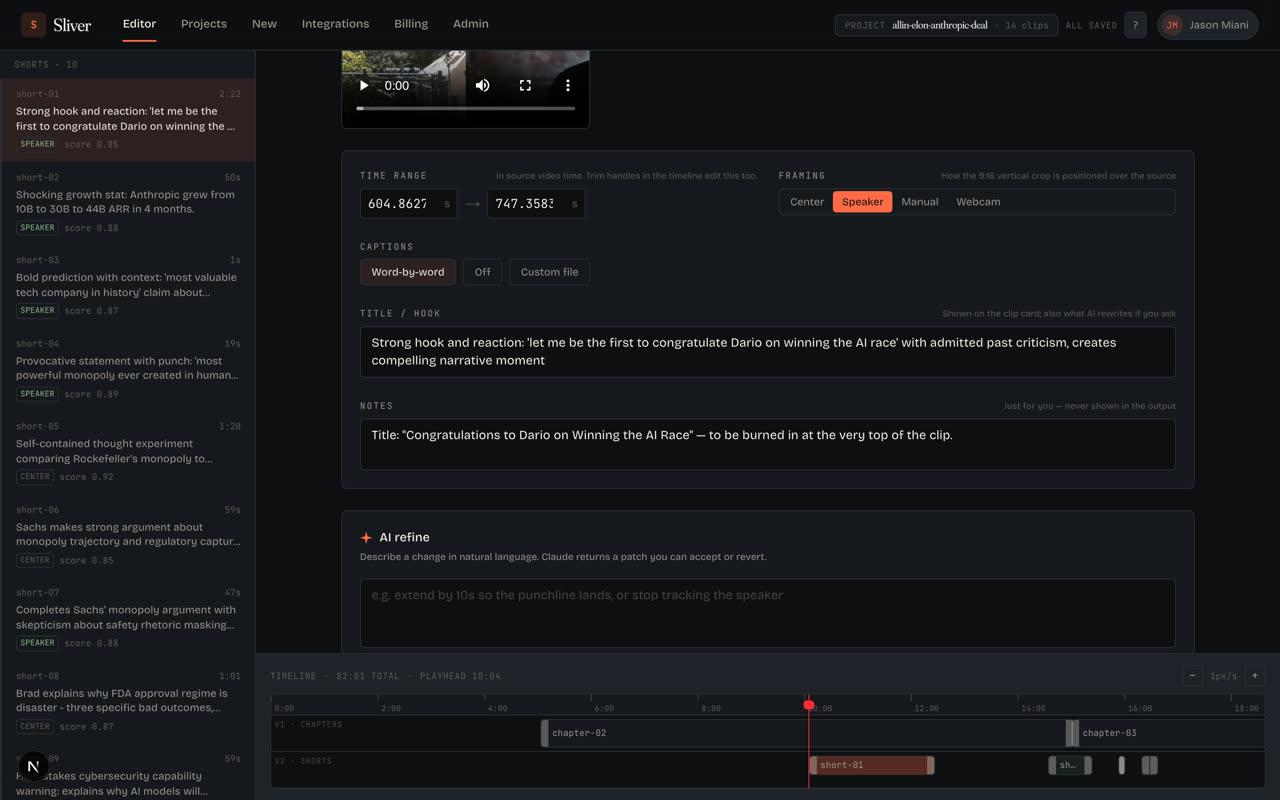
03
Ask for changes in plain English
Tighten a hook, change framing, adjust captions, or rework a clip without learning a traditional editing timeline.
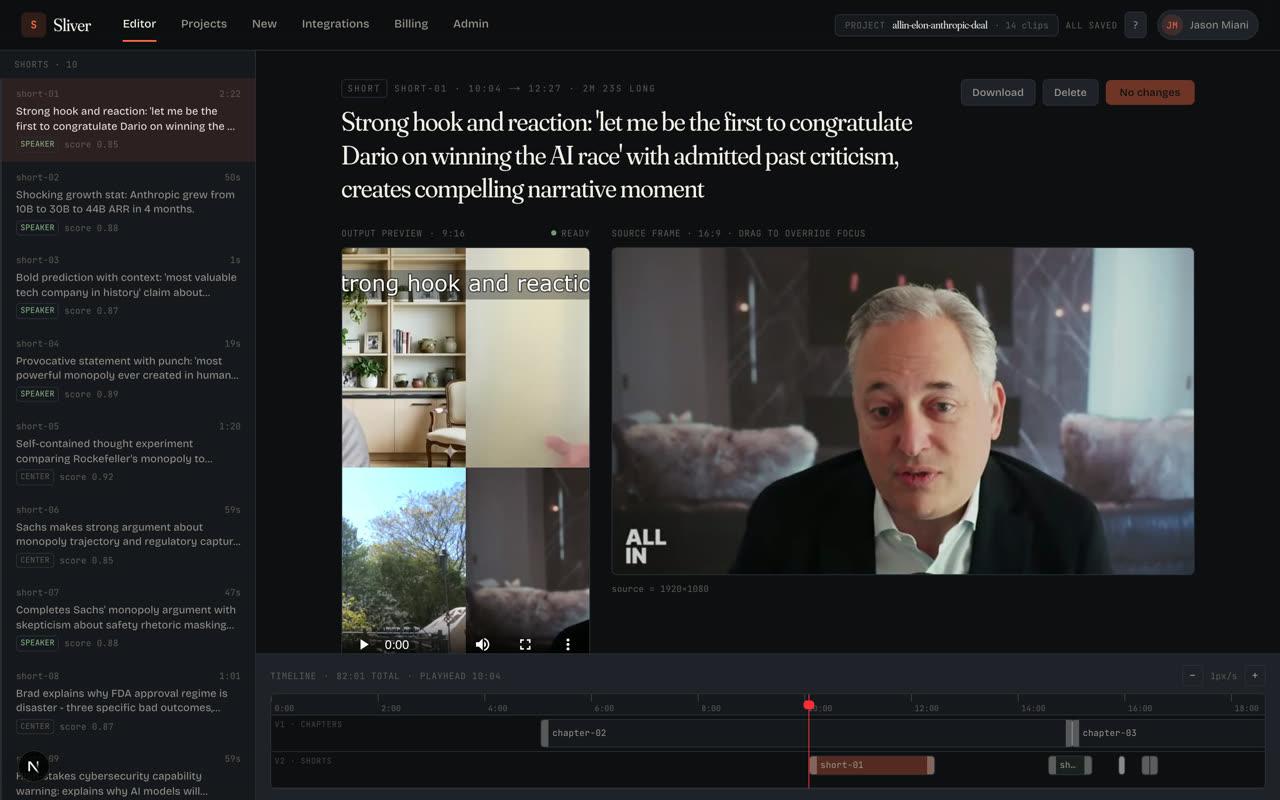
04
Download ready-to-post clips
Export the clips you like and post them on TikTok, Reels, Shorts, LinkedIn, or wherever your audience watches.
What Sliver does
Powered by AIFrom raw recording to ready-to-post.
Sliver is for anyone with more video than time. Upload a podcast, meeting, webinar, stream, interview, vlog, or phone recording. The AI decides what is worth clipping and prepares the first edit for you.
find
Finds the moments people will watch
Sliver scans your video for hooks, reactions, useful explanations, funny moments, and visual changes so you do not have to scrub the full timeline.
cut
Cuts them into short-form clips
Each clip gets a clean start, a clear ending, vertical framing, and a length that fits TikTok, Reels, and YouTube Shorts.
caption
Adds captions automatically
Word-by-word captions are timed to the speaker, styled for mobile viewing, and burned into the exported video.
frame
Keeps the right subject in frame
For podcasts, interviews, screen shares, and gaming clips, Sliver reframes the clip around the person or action that matters.
tweak
Lets you adjust with plain English
Want a tighter hook or a longer ending? Type the change in normal language and Sliver updates the edit.
Your source is processed once, stored encrypted, never used to train models, and deleted after 30 days.
Why Sliver
01 · pipeline
Three outputs, one job
Upload once and get a batch of clips instead of starting from a blank timeline. Sliver can also help organize longer recordings into chapters and condensed edits.
02 · vision
AI sees the video
The AI pays attention to what happens on screen, not just what people say. That helps it catch reactions, screen-share changes, gameplay moments, and visual demonstrations.
03 · refinement
Talk to the timeline
After the auto-cut, type requests like "make the intro tighter" or "show more of the speaker." Sliver updates the clip without making you learn a complicated editor.
Built for real videos
Podcasts, streams, interviews,
webinars, and phone videos.
Real videos are messy: two people on a podcast, a webcam over gameplay, slides beside a speaker, or a long recording with only a few great moments. Sliver is built for that. It finds the story, frames the right subject, and turns the useful parts into clips people can understand immediately.
1
source video to upload
Minutes
to receive a first batch of clips
0
manual timeline edits required to start
Who it’s for
Use cases.
Sliver is for people who already have video and need more useful content from it. The point is simple: less editing, more clips worth posting.
01
Long-form podcasters
Turn a full episode into short clips with captions, speaker framing, and hooks that make sense out of context.
02
Live streamers + gaming creators
Upload a long stream and get the highlights: reactions, wins, funny moments, and facecam clips cut for mobile feeds.
03
Interview + talk-show hosts
Pull out the strongest answers and make them easy to follow with captions and framing that track the conversation.
04
Course creators + educators
Turn lessons, workshops, and webinars into clear short clips that explain one useful idea at a time.
05
Agencies + repurposing teams
Give clients more social output from the content they already record, without spending hours cutting each asset by hand.
06
Founders + execs doing content
Record once, upload once, and get clips that explain your product, idea, or point of view without hiring an editor.
Plans
Start free.
Try two videos a month on Free, no card required. Move to Starter ($20), Pro ($40), or Business ($100) when your volume picks up — 7-day trial on every paid tier.